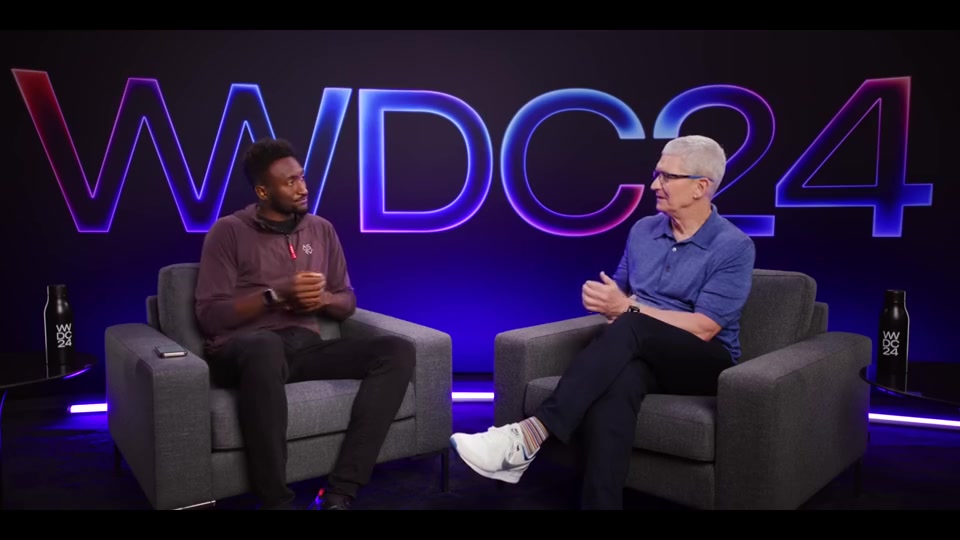
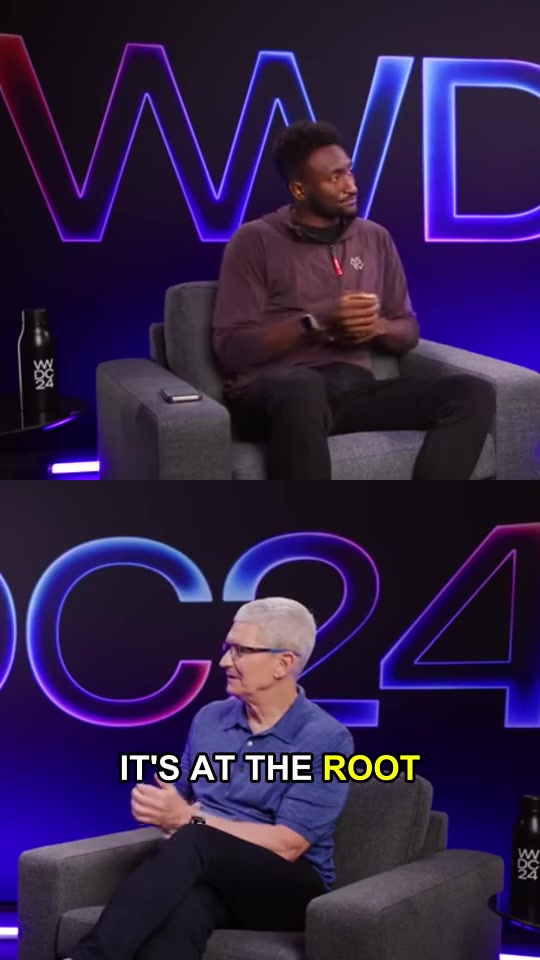
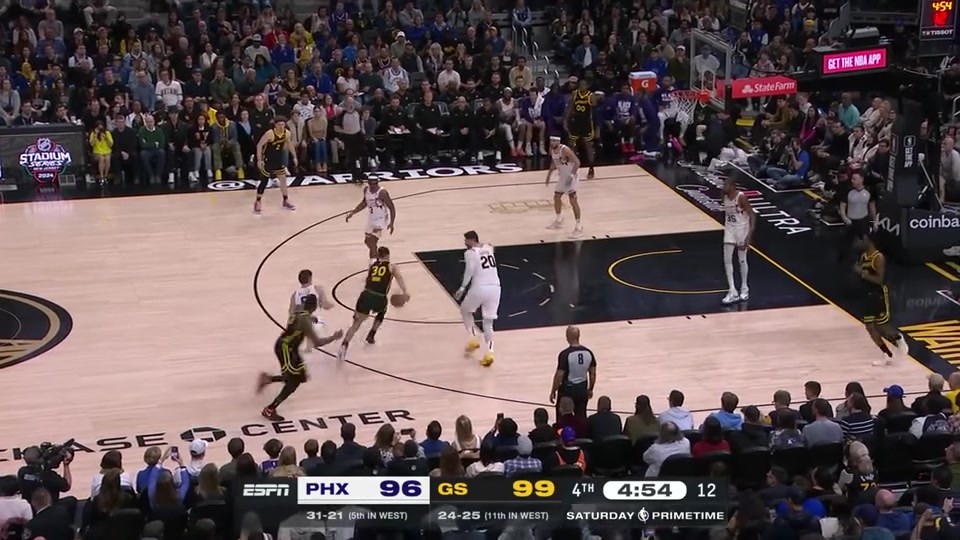
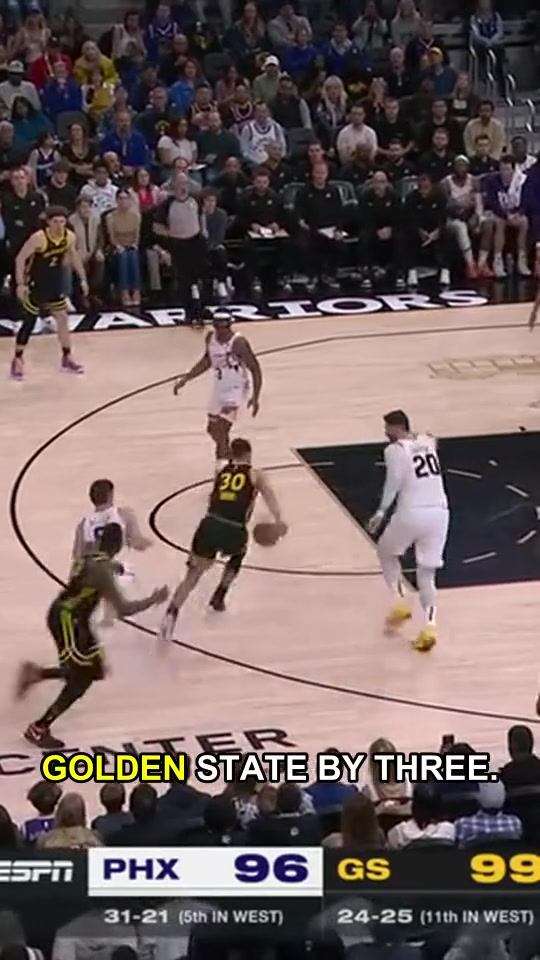
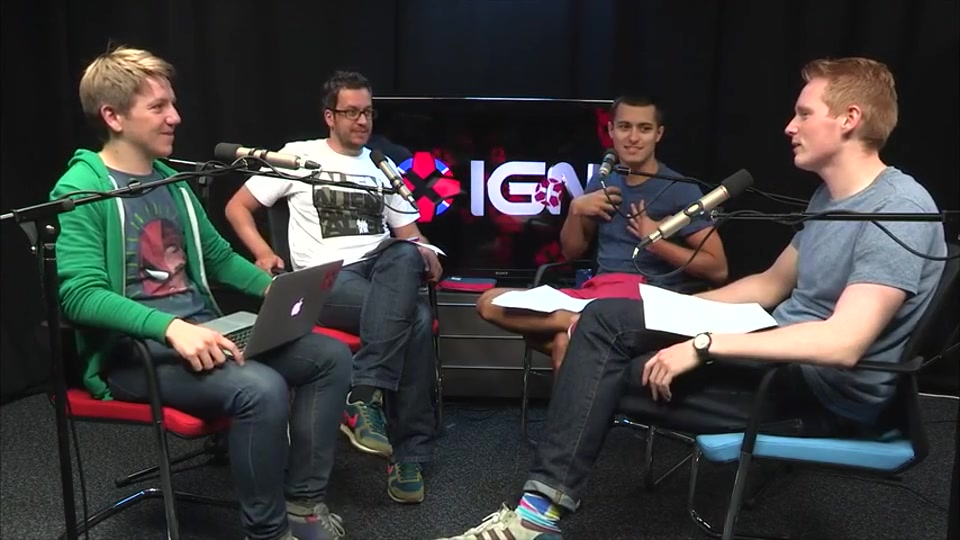
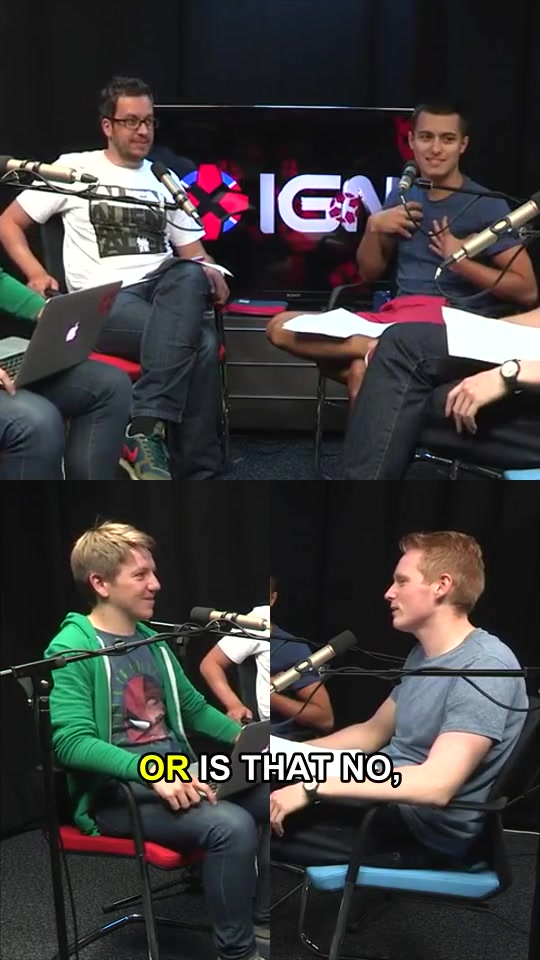
Switch between a tight crop and the full original frame as the scene changes.
Adaptive smart reframing
Follow the subject. Show the wider scene when a tight crop would cut important people out.
Captions you can edit
Correct the transcript, adjust word timing, and choose the font, color, and animation.
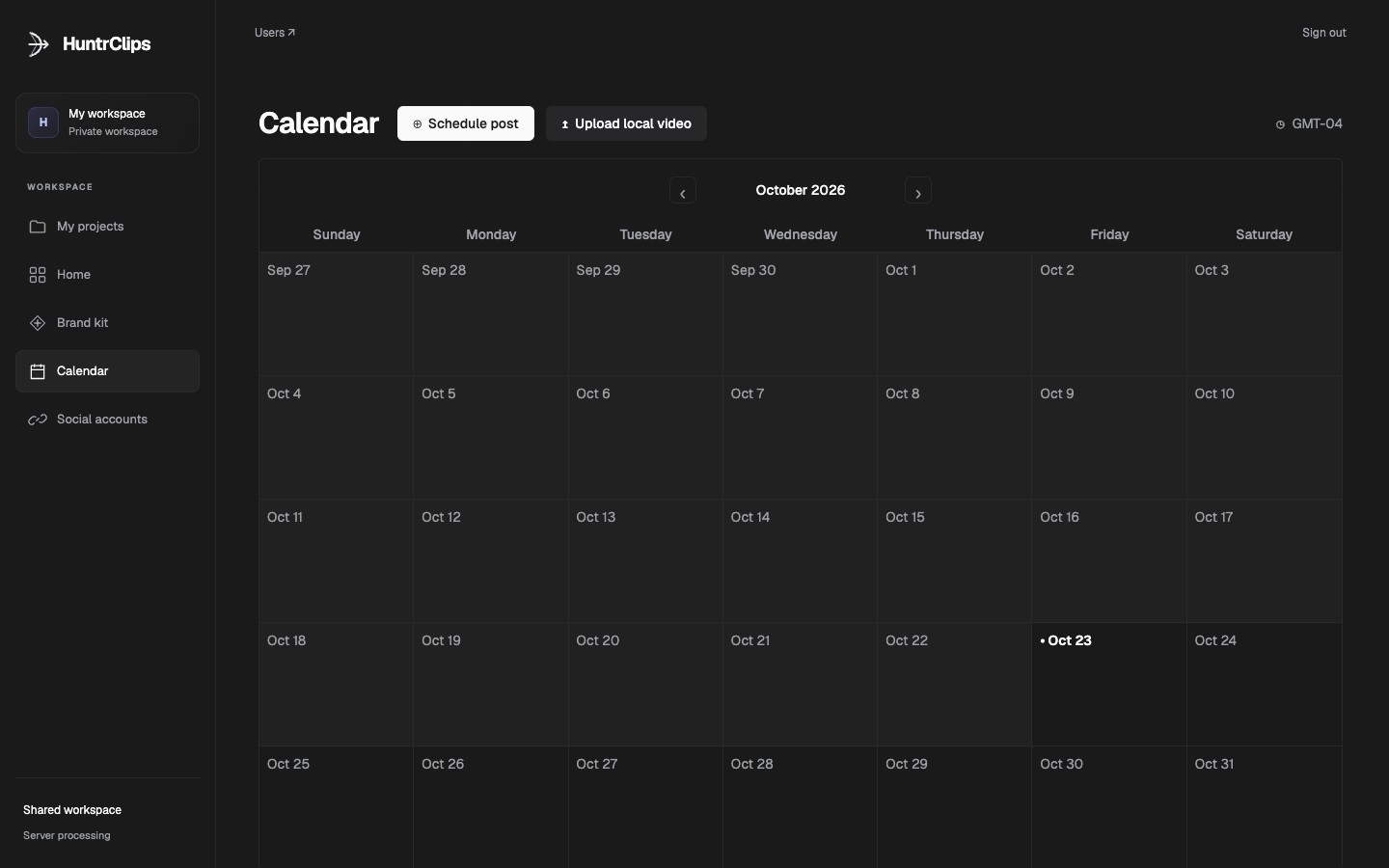
YOUR PUBLISHING WORKFLOW
From a finished clip to your calendar.
Organize your clips and prepare posts for your connected accounts.
Publishing requires platform approval and an eligible connected account.
CLIP EDITOR
Edit with a live preview.
Trim the timeline, refine the layout, and preview your changes before exporting.
HuntrClips editor · recorded locally
YOUR WORKSPACE
Your videos, organized.
Keep each source video and its finished clips together in one project.
Aa
Brand templates
Reuse caption styles, fonts, and colors across your clips.
▦
Private projects
Your account has its own projects, clips, and connected social accounts.
↗
Finished exports
Download your clips or prepare them for publishing.
PRICING
Choose your plan
1 AI credit per whole minute of imported video, with a 1-credit minimum. For example, 30 seconds costs 1 credit; 4 minutes 30 seconds costs 4. Edits and exports use no extra AI credits.
USD. Creator renews monthly until canceled. Monthly AI credits last 60 days and roll over for one additional month. Full plan details →
Got questions?
How does HuntrClips work?
Import a video, generate suggested clips, then edit and export the moments you choose.
What types of videos can I upload?
Upload MP4, MOV, or WebM files up to 500 MB, or import a supported YouTube link. Use videos you own or have permission to edit.
Can I edit the captions?
Yes. You can correct transcript words, adjust timing, and change caption styles in the editor.
Are my projects private?
Each account has a separate workspace. Other users cannot open your projects or use your connected social accounts.
Can I publish to social accounts?
Social connections and publishing depend on platform approval, your account type, and the permissions you grant. You review each post before scheduling it.
 HuntrClips